How to Apply for Lifeline: Free Government Phone Steps 2026
In 2026, staying connected is a necessity for healthcare, employment, and emergency services. If you are struggling with the cost of a phone or monthly service, the federal Lifeline program is designed to help.
Lifeline is a federal benefit administered by USAC with oversight from the FCC. It can provide a monthly discount toward eligible phone, internet, or bundled service. Some participating providers may offer a smartphone with service, but a free phone or iPhone is not guaranteed and depends on provider availability, ZIP code, inventory, and current terms.
Quick Answer: How do you apply for Lifeline?
Start by checking whether you qualify through SNAP, Medicaid, SSI, income, housing assistance, veterans benefits, or Tribal programs. Then apply through LifelineSupport.org, a participating provider, or by mail. After approval, compare providers by ZIP code and check the exact phone, plan, shipping, and device terms before enrolling.
Quick Answer: Where Do You Apply?
There are three main paths to submitting your application in 2026.
| Application Method | Where to Apply | Best For |
|---|---|---|
| Online | LifelineSupport.org, National Verifier | Fastest option for most applicants. |
| Through a Provider | A participating phone/internet company | People who want help choosing a device/plan immediately. |
| By Mail | Lifeline Support Center, PO Box 1000, Horseheads, NY 14845 | People who prefer paper or have no internet access. |
Note for Oregon and Texas: If you live in Oregon or Texas, use your state’s Lifeline application website. California may have separate California LifeLine steps depending on provider and benefit type, so California applicants should follow the instructions given by their provider or California LifeLine.
Before You Apply, Compare Your Options
If you receive food stamps, read our free iPhone with EBT guide. Seniors can review free phones for seniors. You can also compare Lifeline providers before choosing a phone offer.
Step 1: Confirm That You Qualify
Before you start the free phone application 2026 process, you must verify your eligibility. In 2026, you qualify through Program Participation or Income.
1. Qualifying by Government Assistance
You may qualify if you, your child, or another dependent participates in one of these programs, subject to Lifeline verification:
- Medicaid
- SNAP, Supplemental Nutrition Assistance Program / Food Stamps
- Supplemental Security Income, SSI
- Federal Public Housing Assistance, FPHA
- Veterans Pension or Survivors Benefit
- Tribal Assistance Programs, for example, Bureau of Indian Affairs General Assistance, Tribal TANF, Food Distribution Program on Indian Reservations
Step 2: One-Benefit-Per-Household Rule
This is the most common reason for application rejection. Federal law strictly limits Lifeline to one benefit per household.
- A household is defined as an economic unit, people who live together and share income and expenses.
- Married couples or parents/children living together are almost always one household.
- Roommates can be separate households if they do not share money or expenses.
2. Qualifying by Income
You may also qualify if your total household income is at or below 135% of the 2026 Federal Poverty Guidelines. Check the latest official chart if your household has more than three people or if you live in Alaska or Hawaii.
| Household Size | 48 States, Annual | Alaska, Annual | Hawaii, Annual |
|---|---|---|---|
| 1 Person | $21,546 | $26,933 | $24,786 |
| 2 People | $29,214 | $36,518 | $33,602 |
| 3 People | $36,882 | $46,103 | $42,417 |
Step 3: Gather Your Documents Before You Apply
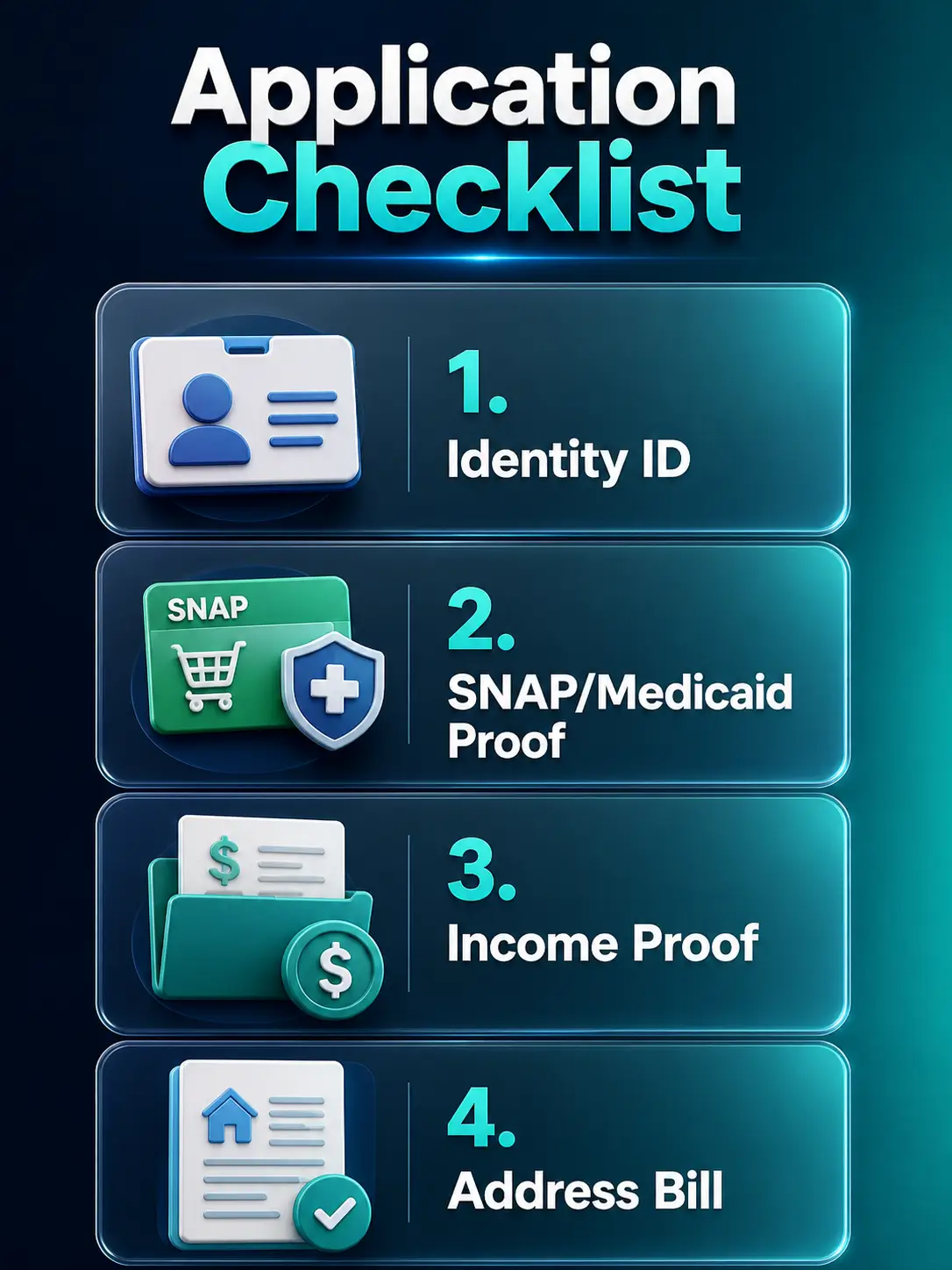
The National Verifier will attempt to verify you automatically using federal databases. If they can’t, you’ll need to upload or mail proof. Do not send original documents by mail; send copies only.
- Proof of Identity: A clear photo of your Driver’s License, U.S. Passport, Birth Certificate, or State ID.
- Proof of Program Participation: An award letter from SNAP, Medicaid, or SSI. It must show your name, the program name, the issuing agency, and a date within the last 12 months.
- Proof of Income: Your 2025 tax return, a Social Security benefits statement, or three consecutive months of pay stubs.
- Proof of Address: A utility bill, lease agreement, or W-2. If you are homeless, you can use a map tool on the online application to drop a pin on your location.
The Application Flow
Apply Online via the National Verifier
The online method is the gold standard for speed.
- Go to LifelineSupport.org and click Apply Now.
- Identity Entry: Use your full legal name. If your ID says Robert, do not enter Bob. Small typos can trigger a Manual Review that takes days to resolve.
- Details: Enter your date of birth and the last four digits of your SSN, or Tribal ID.
- Submission: Once submitted, save your Application Number. If the system says We need more information, upload your gathered documents immediately.
Apply Through a Provider
If you already know which provider you want, such as AirTalk Wireless, SafeLink Wireless, or Assurance Wireless, you can start on the provider website and follow the Lifeline verification steps.
- The Process: The provider will take your information and ping the National Verifier for you.
- In-Person Help: Some providers have booths or local stores. If a representative helps you, you must be the one to personally initial and e-sign the application on their tablet. Providers are legally forbidden from signing for you.
Method B: Apply by Mail, Step-by-Step
Mail is slower but remains a vital option for those without reliable internet.
- Print the Form: Download and print the official Lifeline Application Form from LifelineSupport.org.
- Complete All Sections: Ensure you initial every certification and sign the form. Unsigned forms can delay or stop your application, so make sure you initial the required certifications and sign the form.
- Attach Proof: Include clear copies of your ID and eligibility documents. Never send original documents, as you will not get them back.
- Mail to the Official Address: Lifeline Support Center, PO Box 1000, Horseheads, NY 14845
Disability Assistance: If you cannot print the form, contact the Lifeline Support Center at (800) 234-9473, and they will mail an application to you.
Choose a Provider After Approval
Getting Approved by the National Verifier is only the first half of the process. The government does not mail you a phone. Approval means you are eligible for the discount. After approval, you must contact a participating company and enroll. Compare them based on:
- Device Offer: Do they offer a free smartphone? Note: High-end devices like iPhones are rare and usually refurbished. Read our Lifeline Program Free iPhone page for details.
- Plan Details: Do they offer unlimited talk/text? How much data is included?
- Network: Does this provider have good cell towers in your specific ZIP code?
What to Expect After You Apply
- Approval Time: Some online applications verify quickly, but manual review, unclear documents, name mismatches, or mail processing can take longer.
- Shipping: If a provider offers a phone or SIM, shipping time depends on provider processing, inventory, address verification, and current delivery terms.
- Activation: This is crucial. Follow the provider’s activation instructions as soon as your phone or SIM arrives. After service is active, use it at least once every 30 days if your Lifeline service is free.
- 30-Day Usage Rule: To keep your free phone service in 2026, you must use it at least once every 30 days. If the line is silent for 30 days, the provider is required to terminate your service.
Common Application Mistakes to Avoid
Using a Nickname
Ensure your name matches your SNAP/Medicaid records exactly.
Uploading Blurry Photos
If the computer can't read the date on your award letter, it’s an automatic rejection.
Applying Twice
Don't apply with three different providers. This creates a "duplicate" error in the National Verifier and freezes your account.
Expired Letters
Older benefit letters may be rejected if they do not show current participation, an issue date, or a valid date range. Use the most recent proof available.
Application Safety Warning
Do not pay anyone who promises guaranteed Lifeline approval, a guaranteed iPhone, or faster government processing. Use LifelineSupport.org, official state instructions, or a verified provider website. Never share your EBT PIN, bank login, card number, or full Social Security number with a random phone offer site.
FAQs
What is the safest way to apply for Lifeline?
Can I apply for Lifeline with EBT or SNAP?
Do I choose a provider before or after Lifeline approval?
Can I apply if I don't have a permanent home?
Does everyone get a free iPhone?
What if my application is rejected?
Is my data safe?
Conclusion
Applying for Lifeline in 2026 is easier when you follow the right order: check eligibility, gather current documents, complete the National Verifier or provider application, then compare providers by ZIP code.
Approval does not guarantee a free phone, iPhone, or any specific device model. Always review the provider’s current terms, shipping rules, activation steps, and monthly usage requirements before you enroll.
Compare Lifeline Providers