SafeLink Wireless Free Phone: Lifeline, BYOP, iPhone and Eligibility 2026
SafeLink Wireless is a Lifeline-supported phone provider connected with the TracFone brand family under Verizon. Eligible households may receive free or discounted phone service, but availability depends on ZIP code, Lifeline approval, plan terms, device compatibility, and current SafeLink offers.
A free iPhone is not guaranteed through SafeLink. Most free device offers are usually Android phones. If you already own an unlocked compatible iPhone, SafeLink BYOP may let you use that phone with Lifeline service after a compatibility check.
SafeLink says BYOP requires a compatible or unlocked GSM phone, and eligible customers can receive a SIM kit if the phone works with SafeLink service.
Does SafeLink Wireless offer free iPhones?
SafeLink Wireless does not guarantee a free iPhone. The standard free phone, when available, is usually an Android device. If you want to use an iPhone, the safer path is to bring your own unlocked compatible iPhone through SafeLink BYOP or check any current paid upgrade options separately.
What Is SafeLink Wireless?
SafeLink Wireless is a phone service provider that takes part in the federal Lifeline program. Lifeline helps eligible low-income households lower the cost of phone, internet, or bundled service.
SafeLink is not a government agency. It is part of the TracFone brand family, now owned by Verizon, and offers Lifeline-supported service where available. Your coverage, phone options, and plan details depend on your ZIP code, device compatibility, SIM type, and current SafeLink rules. Lifeline provides up to $9.25 per month for eligible households, and up to $34.25 per month for qualifying households on Tribal lands.
SafeLink iPhone Reality Check
You may see a free government iPhone, but here is the reality:
- No Federal iPhone Program: There is no separate government program that guarantees iPhones.
- Service vs. Device: Lifeline is a program that helps pay for service, not specific expensive phones.
- Android is Standard: If SafeLink gives you a free phone, it is usually an Android model. The exact model depends on what they have in stock and where you live.
- How to Get an iPhone: If you want an iPhone, your best options are to bring one you already own (BYOP) or buy a discounted upgrade through SafeLink’s shop.
SafeLink Eligibility Requirements in 2026
To get SafeLink service, you must meet one of two rules: you either take part in a government assistance program or your income is low enough.
1. Qualifying Through Other Programs
You may qualify if you, or your child/dependent, take part in one of these:
- SNAP (Food Stamps)
- Medicaid
- Supplemental Security Income (SSI)
- Section 8 (Federal Public Housing Assistance)
- Veterans Pension or Survivors Pension
- Tribal Specific Programs: Bureau of Indian Affairs General Assistance, Tribal TANF, Food Distribution Program on Indian Reservations (FDPIR), Head Start (only for households on qualifying Tribal lands that meet the income standard).
2. 2026 Lifeline Income Limits (135% of Poverty Guidelines)
If you don't use the programs above, you can qualify based on your total household income.
| Family Size | 48 States & DC | Alaska | Hawaii |
|---|---|---|---|
| 1 | $21,546 | $26,933 | $24,786 |
| 2 | $29,214 | $36,518 | $33,602 |
| 3 | $36,882 | $46,103 | $42,417 |
| 4 | $44,550 | $55,688 | $51,233 |
| 5 | $52,218 | $65,273 | $60,048 |
| 6 | $59,886 | $74,858 | $68,864 |
| 7 | $67,554 | $84,443 | $77,679 |
| 8 | $75,222 | $94,028 | $86,495 |
| Each Extra | +$7,668 | +$9,585 | +$8,816 |
SafeLink Availability by State
SafeLink availability depends on your state, ZIP code, and address.
- Check First: Always enter your ZIP code on the SafeLink website first to see if they serve your area.
- Other Options: If SafeLink isn't available, visit LifelineSupport.org and use the “Companies Near Me” tool to find other providers on our provider comparison guide.
- State Pages: Lifeline rules and provider options can vary by state. You can also review our guides for Texas, California, Illinois, Mississippi, and Louisiana.
Device Options: Android vs. iPhone
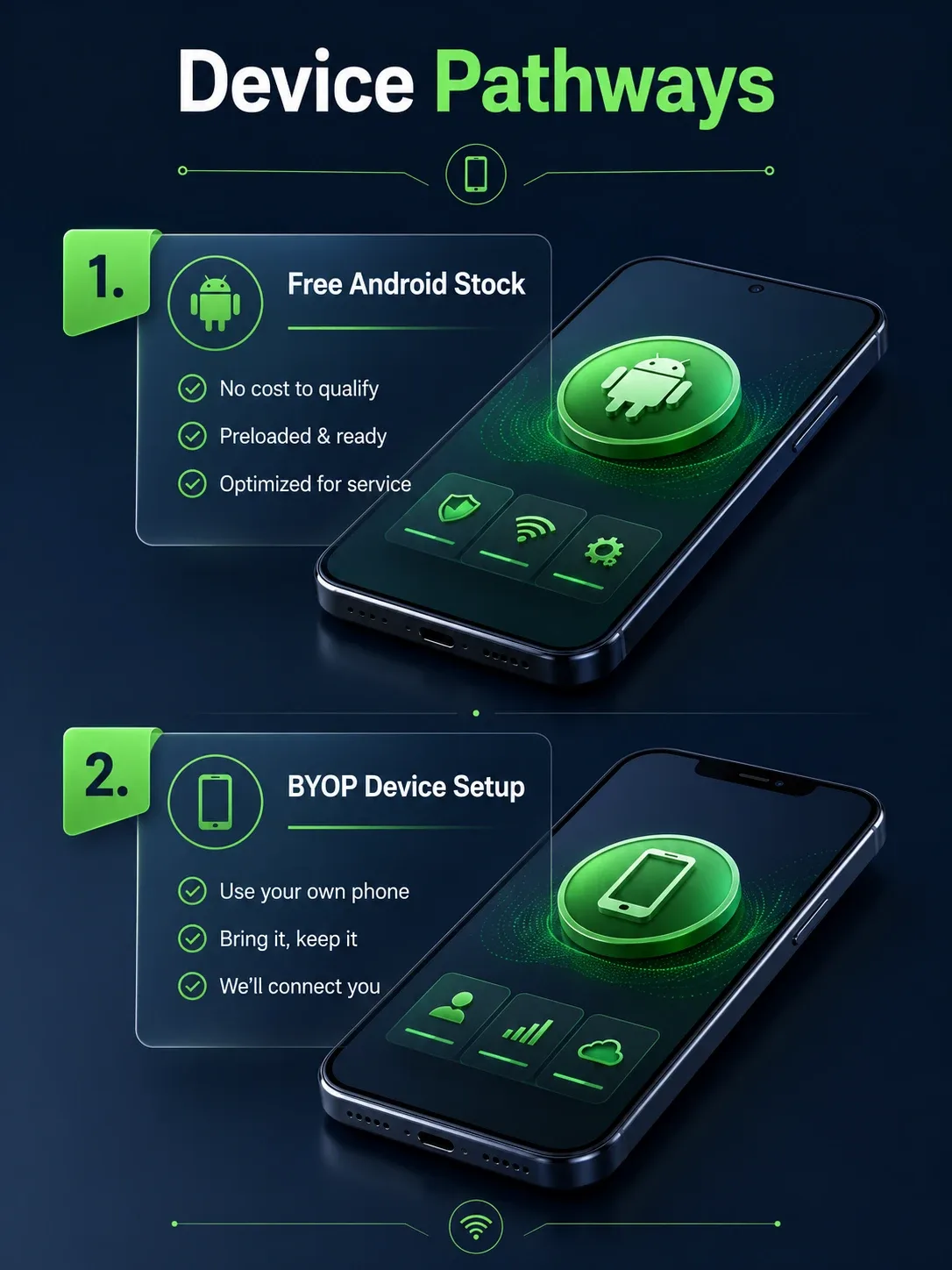
SafeLink offers a few ways to get a phone on its network:
| Device Type | What to Know | Best For |
|---|---|---|
| Free SafeLink Phone | Usually an Android phone if a free device is available. The exact model depends on stock and ZIP code. | Users who need basic calling, texting, data, and app access. |
| SafeLink BYOP iPhone | May work if your iPhone is unlocked and compatible. Check the IMEI or compatibility before applying. | Users who already own an iPhone and want Lifeline service. |
| SIM or eSIM Service | Some users may receive service support without a new phone, depending on compatibility and current terms. | Users with an existing compatible unlocked phone. |
| Paid Upgrade | Any paid iPhone or upgraded phone offer is separate from the standard free Lifeline phone benefit. | Users who want a specific phone and can review price, warranty, lock status, and return terms. |
What phones are compatible with SafeLink Wireless?
For BYOP, your phone should be unlocked and compatible with SafeLink service in your area. Before switching, check your phone’s IMEI, SIM/eSIM support, network compatibility, and whether the current carrier lock has been removed.
If your iPhone is locked, still financed, reported lost, or not compatible with the supported network in your ZIP code, it may not activate properly.
Activation and Number Transfer
Keep Your Number: If you want to keep your current phone number, keep your old service active until the transfer is complete. You may need your old carrier’s account number, transfer PIN, and billing ZIP code. SafeLink support says customers may transfer their number after receiving their phone or SIM by calling 1-800-378-1684.
Coverage Check: To see if SafeLink has a good signal in your area, enter your ZIP code on their site or text COVERAGE to 611611.
Useful 611611 keywords:
- BYOP: Check if your phone may work with SafeLink.
- SIM: Get SIM card instructions.
- SUPPORT: Get help with service problems.
- TRANSFER: Move your mobile number to a new device.
- TICKET: Check your support ticket status.
- STORE: Find nearby retailers by ZIP code.
How to Apply: Methods & Documents
You can apply in several ways. For a strategic overview of the process before starting, read through our structured How to Apply blueprint.
- Online: At SafeLinkWireless.com (fastest) or CheckLifeline.org.
- By Mail: You can print and mail a paper application to the Lifeline Support Center.
- Through a Provider: Some local phone or internet companies can help you apply.
Documents You Will Need:
- Full legal name, Date of Birth, and Home address.
- Last four digits of your SSN (or Tribal ID).
- Proof of Program (award letter) or Proof of Income (tax returns/pay stubs).
How to Check Your Application Status
After you apply, keep your application ID, enrollment ID, and all emails from SafeLink. You can check your status through SafeLink or the National Verifier. Do not submit a second application unless support tells you to. Duplicate applications can slow things down or create confusion with your Lifeline record.
Important Rules to Follow
- One Benefit Per Household: A household is a group of people who live together and share money. Only one benefit is allowed per home.
- Use It or Lose It: If your service is $0, you must use it at least once every 30 days. If you don't, you'll get a 15-day warning before they turn it off.
- Yearly Check-In: You must prove you still qualify once a year (Recertification).
- Move or Change: You must tell SafeLink within 30 days if you move or if you no longer qualify.
Contact Support
- SafeLink Enrollment: 1-800-SafeLink (1-800-723-3546)
- SafeLink Technical Support: 1-800-378-1684
- Lifeline Support Center: 1-800-234-9473
Helpful SafeLink and Lifeline Guides
Compare Providers
Compare SafeLink with other Lifeline providers before choosing a phone or BYOP option.
EBT or SNAP
If you qualify through food stamps, read our free iPhone with EBT guide.
Senior Phone Help
Older adults can review free phones for seniors before applying.
Android and 5G Options
If no iPhone is available, compare free 5G government phones.
FAQs
Does SafeLink Wireless give free iPhones?
Can I use my iPhone with SafeLink BYOP?
What phones are compatible with SafeLink Wireless?
Can I keep my current phone number?
What if my iPhone is locked?
What if my SafeLink phone is lost or stolen?
Does Lifeline pay for the iPhone itself?
What if SafeLink is not available in my area?
Can two people at the same address get Lifeline?
Should You Choose SafeLink Wireless?
SafeLink Wireless can be a useful Lifeline option if it serves your ZIP code and its current plan meets your needs. Check eligibility, coverage, device options, BYOP compatibility, and application status before choosing a provider.
See Alternative 2026 Providers